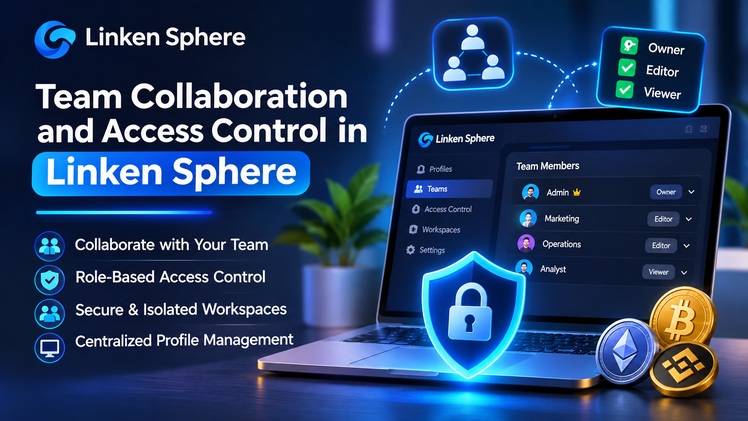
Scaling an agency, e-commerce operation, or media buying team requires delegating account management across multiple specialists. Sharing raw passwords, two-factor authentication codes, or exported cookie archives through messaging apps creates severe security vulnerabilities. Furthermore, when different employees log into the same platform account from separate physical computers, anti-fraud algorithms detect sudden hardware changes and lock the profile. A dedicated sphere antidetect browser resolves these operational risks by centralizing session access, permissions, and auditing within a single desktop environment.
Linken Sphere integrates team management tools directly into the client application on Windows and macOS, enabling distributed teams to collaborate without exposing sensitive credentials or breaking device consistency.
Segmenting agency projects with isolated desktops
When a team manages hundreds or thousands of browser profiles, storing everything in a single flat list slows down daily workflows and increases the chance of human error. Linken Sphere organizes complex infrastructures through isolated workspaces called Desktops.
Each desktop functions as an independent workspace containing its own dedicated assets:
- Browser profiles and bound proxy lists.
- Custom configuration presets and preloaded extensions.
- Color-coded status labels, formatted text notes, and single-click editable tags.
- Customizable session manager columns and widths tailored to specific operational roles.
Team leads can dedicate separate desktops to individual clients, advertising networks, geographic regions, or internal departments. If a team member accidentally deletes a profile, the built-in trash bin retains the session for 72 hours, allowing instant restoration without counting against active subscription limits.
Granular role permissions and subaccount management
Effective delegation requires limiting each employee strictly to the tools and profiles needed for their specific role. Account administrators in Linken Sphere create subaccounts for team members and configure granular access rights across every workspace.
Administrators control operational boundaries through specific permission rules:
- Workspace visibility: Assign employees only to designated desktops while keeping other client portfolios completely hidden.
- Session actions: Grant or restrict individual rights to create, edit, launch, transfer, or delete browser profiles.
- Resource protection: Restrict access to proxy managers, connection providers, and cookie export functions so operators can run accounts without extracting underlying credentials.
- Session transfers: Allow farmers or setup specialists to transfer warmed, ready-to-use profiles directly to media buyers inside the ecosystem.
Starting from entry-level commercial subscriptions, the client also supports simultaneous logins under a single license across multiple workstations.
Activity auditing and performance tracking
Maintaining accountability across a remote team requires transparent logging of all profile interactions. Linken Sphere includes a comprehensive session activity log that records every action performed on a profile, identifying which team member launched, modified, or stopped the session along with exact timestamps.
Additionally, a built-in session timer tracks the active working duration spent inside each profile. Managers can sort sessions by timer metrics to evaluate employee workload, monitor farming progress, and optimize operational bottlenecks.
Social media managers, support agents, and account operators frequently run dozens of sessions concurrently. Switching between separate operating system windows reduces efficiency and leads to mistakes when posting updates or managing ad budgets.
Linken Sphere addresses this with Smart Window Control (SWC). SWC groups all active browser sessions as paginated tabs inside a unified master window, automatically adapting tab layout to the physical screen resolution. Operators switch between isolated environments using keyboard shortcuts or side mouse buttons while preserving full cryptographic and file system separation for every profile.